
This tutorial covers how a user can create an E-mail account in Direct Admin Control Panel
First, log in to the Direct Admin Control Panel of your Server.
1. Once logged in Click On 'Email Accounts'

2. Then Click on the 'Create Account' button
3. Fill in the parameters below and Click on the 'Create Account' Button
Username: <any username you want>
Password: <any password you want>
E-mail Quota (MB): <size of the email box eg: 05 GB or you can put a tick on 'Max' >
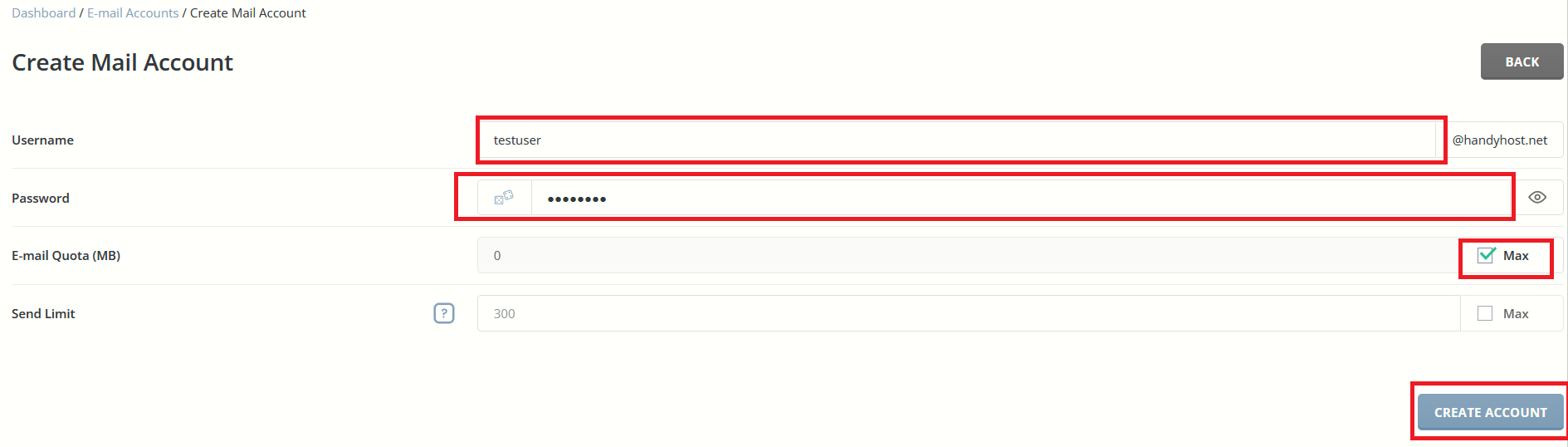
4. You should see a popup message.
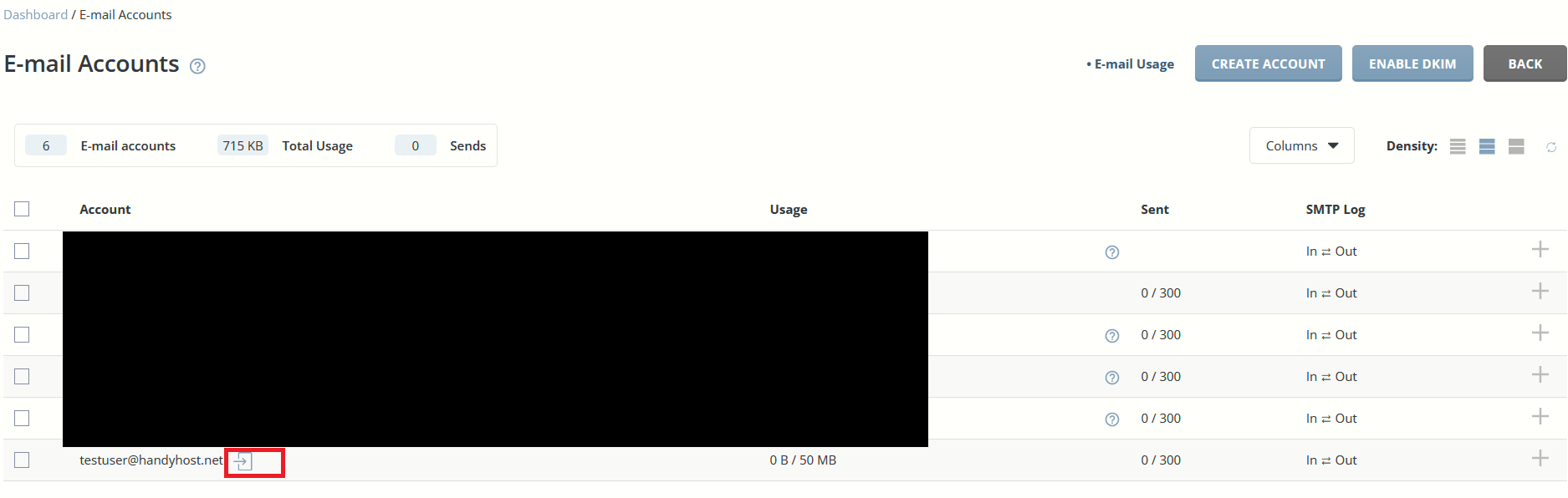
5. To log in to your email you can either use the direct link or click on the login button in front of the E-mail Account.
If you are having trouble Creating E-mails contact us through our Support Systems.
